Bubble Gum Editable Text Effect Guide
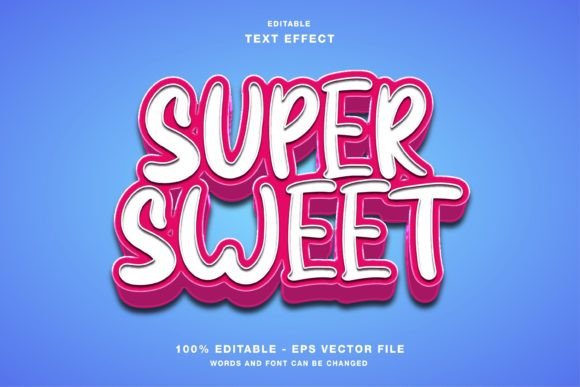
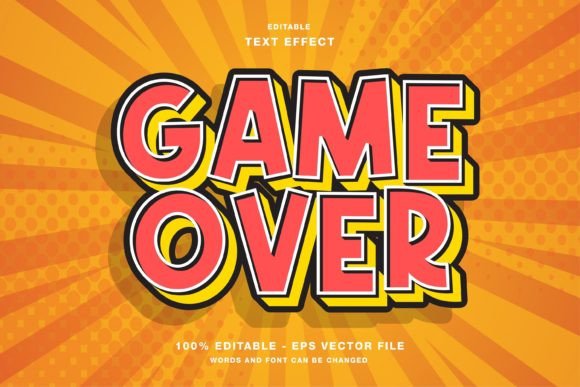
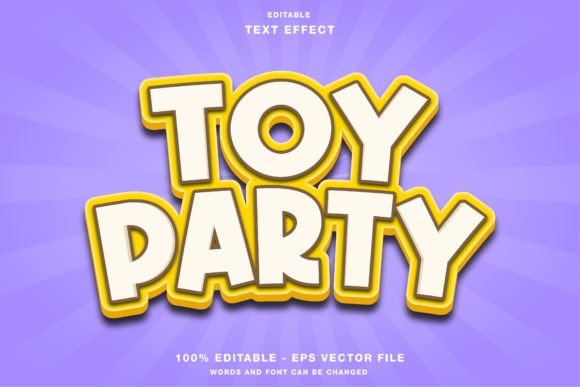
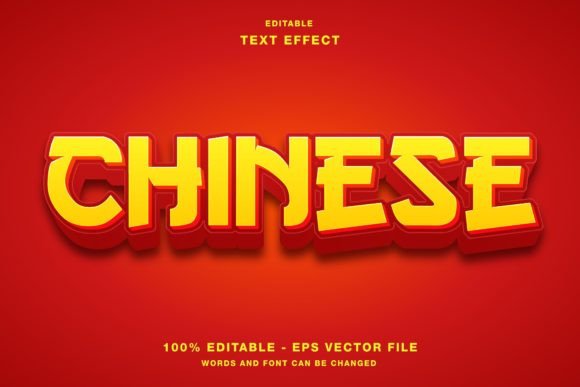
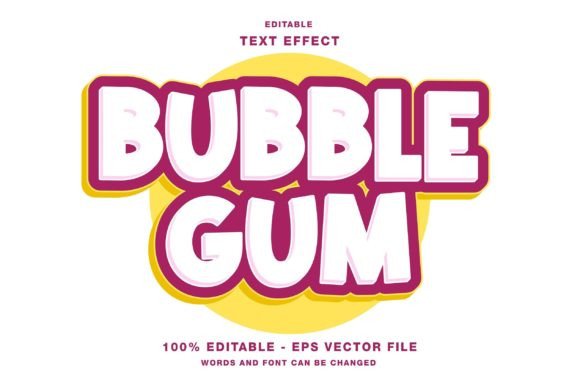
Visual hierarchy is the backbone of effective digital communication. When a viewer scrolls through a social media feed or scans a magazine layout, their eyes are drawn to contrast, color, and texture before they even process the words. This is where specialized design assets become invaluable. The Bubble Gum - Editable Text Effect offers a distinct aesthetic that merges playful nostalgia with modern graphic design precision. It is not merely a font; it is a fully customizable template designed to inject energy and dimension into your projects.
Understanding how to leverage this specific style requires looking beyond the surface-level appeal of bright colors and rounded edges. For designers, marketers, and content creators, the value lies in the balance between speed and customization. This guide explores how different professionals and hobbyists can integrate this editable text effect into their workflows, ensuring that the final output aligns with their unique brand voice and technical requirements.
Why Aesthetic Consistency Matters in Digital Design
In an era where attention spans are shrinking, the visual hook is critical. The bubble gum aesthetic—characterized by glossy highlights, soft shadows, and vibrant hues—evokes feelings of fun, youth, and approachability. However, applying this style manually in vector software can be time-consuming. Creating realistic lighting effects, managing layer structures for gloss, and ensuring the text remains legible against various backgrounds are complex tasks.
The Bubble Gum - Editable Text Effect simplifies this process by providing a pre-built structure. Because the template is built for Adobe Illustrator, it leverages the power of vector graphics. This means the text remains crisp at any size, from a small Instagram story sticker to a large-format event poster. The inclusion of both EPS and JPG files in the main folder ensures compatibility across different software ecosystems, allowing users who may not have Illustrator to still utilize the static versions for quick mockups or references.
Tailoring the Tool to Your Role
Different users approach design tools with different priorities. What matters to a freelance graphic designer may differ significantly from what a small business owner needs. Here is how various audiences can evaluate and use this text effect.
For Social Media Managers and Marketers
If you are managing campaigns for Instagram, Twitter, or Facebook, speed is often your most valuable currency. You need assets that look professional but can be deployed quickly to capitalize on trending topics. The RGB color mode of this template is specifically optimized for digital screens, ensuring that the vibrant pinks, blues, and yellows appear exactly as intended on mobile devices.
Consider a scenario where you are promoting a summer sale. Instead of spending hours creating a 3D text effect from scratch, you can input your headline into the template, adjust the colors to match your brand palette, and export. The editable nature of the file means you are not stuck with a single look. You can tone down the saturation for a more sophisticated brand or crank up the contrast for a high-energy promotion. This flexibility allows for rapid A/B testing of visual styles without requiring advanced 3D modeling skills.
For Print Designers and Publishers
While the primary color mode is RGB, the vector foundation of the Bubble Gum - Editable Text Effect makes it surprisingly versatile for print media such as flyers, posters, and magazines. The key here is scalability. Vector paths do not pixelate, so when you scale the text for a large event banner, the edges remain smooth.
Professionals in this space will appreciate the layer organization. A well-structured EPS file allows you to isolate specific elements, such as the highlight reflections or the drop shadow. This level of control is essential when preparing files for commercial printing, where color separation and overprint settings might need adjustment. Although the template is designed with digital use in mind, a skilled designer can convert the colors to CMYK if necessary, ensuring that the printed result maintains its vibrancy without unexpected shifts.
For Beginners and Hobbyists
For those new to graphic design, the learning curve of Adobe Illustrator can be steep. Templates serve as an educational bridge. By deconstructing the Bubble Gum Text Effect, beginners can learn how professional designers construct depth and lighting. You can observe how gradients are applied to create the illusion of curvature and how transparency is used to simulate gloss.
The ease of editing is a major benefit here. You do not need to understand the complex mathematics behind bezier curves to change the text. Simply type your desired phrase, and the effect applies automatically. This immediate gratification encourages experimentation. Hobbyists creating invitations, personal blogs, or fan art can achieve a polished look that would otherwise take months of practice to replicate manually.
For Entrepreneurs and Small Business Owners
Small business owners often wear multiple hats, including that of the marketing department. Budget constraints may prevent hiring a full-time designer for every minor update. An editable text effect template is a cost-effective solution that maintains brand consistency. Whether you are designing a menu board, a promotional email header, or packaging labels, having a reusable asset saves both money and time.
The reliability of the file format is crucial for this group. Knowing that the EPS and JPG files are included in the main folder provides peace of mind. If you need to send a preview to a printer or a partner who does not have design software, the JPG serves as a universal reference. If you need to make last-minute changes, the EPS file ensures you retain full editability.
Evaluating Quality and Flexibility
When choosing a design asset, consider the long-term usefulness. A generic clip-art image might serve a one-time need, but an editable template offers recurring value. The Bubble Gum - Editable Text Effect is designed to be modular. You can mix and match colors, adjust the intensity of the shadows, or even combine it with other design elements.
Flexibility also extends to the type of content. While "bubble gum" suggests sweetness and playfulness, the underlying structure can be adapted. By changing the color palette to metallic silvers or deep purples, the same structural effect can convey a sense of luxury or mystery. This adaptability makes it a versatile tool in a designer’s toolkit, rather than a single-use novelty.
Practical Tips for Implementation
To get the most out of this template, keep the following practical considerations in mind:
- Contrast is Key: Ensure your text color contrasts sufficiently with the background. The glossy effect relies on light and dark variations; if the background is too busy, the text may lose its impact.
- Legibility First: While the style is decorative, the message must remain clear. Avoid using overly complex fonts within the effect if the original shape is difficult to read. Simple, bold typefaces usually work best with bubble-style effects.
- File Management: Keep the original EPS file intact as a master copy. Save your edited versions with new names to preserve the ability to revert changes or reuse the template for future projects.
- Color Calibration: Since the template is in RGB, always preview your designs on multiple screens. Colors can vary between monitors, phones, and tablets. Adjust the hue and saturation to ensure consistency across devices.
Ultimately, the Bubble Gum - Editable Text Effect is more than just a visual trend. It is a functional resource that empowers users to create high-quality, engaging visuals with efficiency. Whether you are a seasoned professional looking to streamline your workflow or a beginner eager to learn, this tool offers a pathway to more dynamic and expressive design. By understanding its capabilities and adapting it to your specific needs, you can elevate your visual communication and capture the attention of your audience effectively.